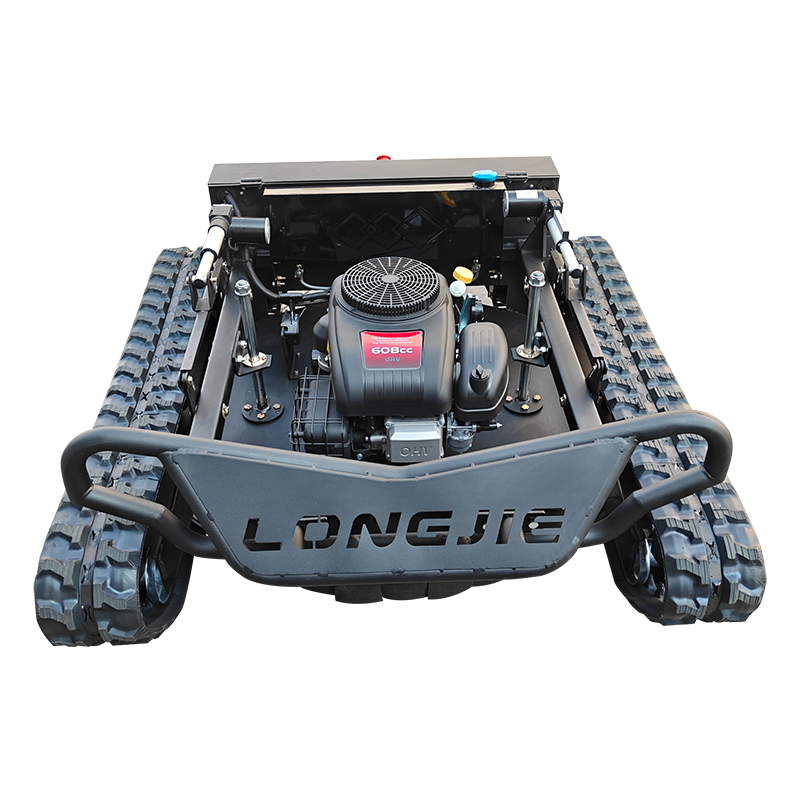
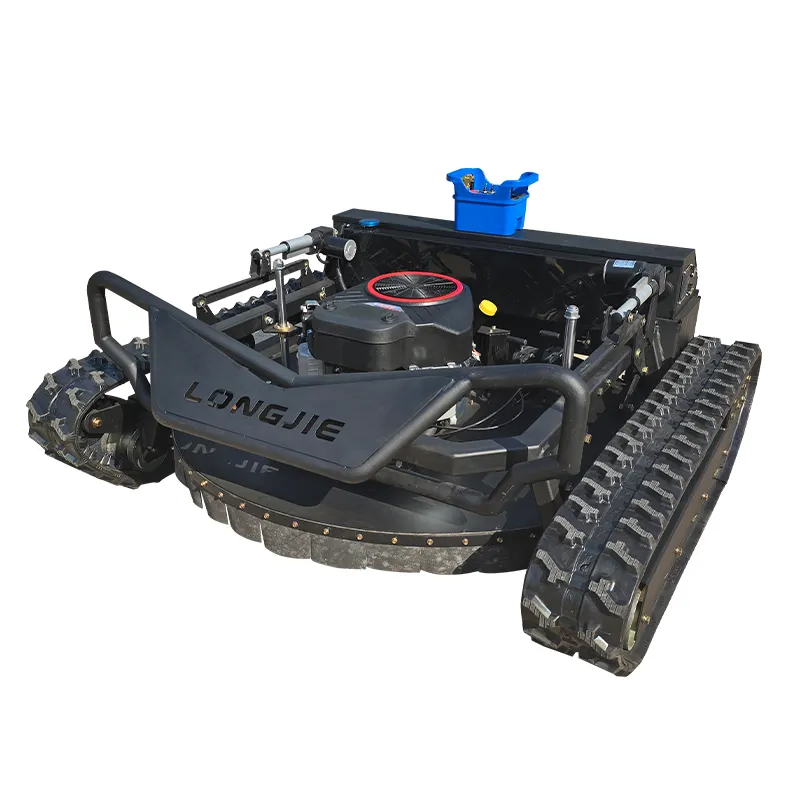
EN
How Does Robot lawn mower remote control Adjust Cutting Speed
A robot lawnmower with a handheld or app-based controller can make mowing easier to supervise, but the controls do not work the same way on every machine. Before changing anything, check the operator manual for your specific robot lawnmower. Some controllers adjust ground speed, some select a working mode, and some do not offer a direct cutting-speed command at all. That distinction matters: travel speed, blade speed, cutting height, and the amount of grass removed in one pass are separate decisions.
As a practical operator rule, begin with the field rather than the control screen. A robot lawn mower remote control is useful only when the operator can see the machine, understand the terrain, and stop work safely. Tall grass, wet patches, loose debris, hidden holes, boundary edges, people, and animals can all change what a sensible speed looks like.
First identify the speed that your robot lawnmower can change
Many readers use “cutting speed” to describe several different settings. On a robot lawnmower, the remote may control travel speed: how quickly the machine moves across the ground. A menu may instead control blade or engine operating mode. Cutting height is usually a separate mechanical or electronic adjustment. Do not assume that making the machine travel faster will improve cut quality. If the mower crosses dense or tall growth too quickly, the deck may not process the vegetation evenly, and the operator may need another pass.
Use the model-specific manual to confirm the available setting names, ranges, lockouts, and safe operating conditions. Search results for robot mowers often mention connected controls and automated navigation, but those features do not prove that every robot lawnmower has the same speed menu. Treat a screen label or remote button as a model-specific instruction, not a universal rule.
Prepare the work area before using robot lawn mower remote control
Before adjusting speed, walk or visually inspect the planned route. Remove branches, wire, stones, toys, and other items that could be struck or wrapped by the cutting system. Identify ditches, tree roots, drop-offs, narrow turns, and areas where sight lines disappear. A robot lawn mower remote control does not remove the need for an operator to maintain a safe exclusion zone.
- Confirm that the battery, control link, emergency stop, and any required safety interlocks are working as described in the manual.
- Keep people, pets, and bystanders outside the operating area.
- Check grass height, density, moisture, and the ground surface before selecting a pace.
- Plan a slower approach near fences, trees, drains, slopes, and turning points.
- Stop rather than attempting to correct a hazard while a robot lawnmower is moving.
In other words, the appropriate setting may be slower than the fastest setting. A robot lawnmower may cover open, dry, regular turf differently from a rough area with thick grass and frequent turns. When conditions change inside one site, change the plan as well.
A safe sequence for adjusting robot lawnmower travel speed
- Park and stabilize the machine. Place the robot lawnmower on a level, clear area and follow the manufacturer's stop procedure before entering a settings menu or handling the mower.
- Select a conservative starting setting. If the manual permits speed adjustment, start at the lower suitable operating level rather than the maximum. This gives you time to observe steering response, deck behavior, and traction.
- Test a short, clear section. Use the robot lawn mower remote control over a small area with good visibility. Watch whether the mower tracks predictably and whether the cut looks even.
- Evaluate the result before increasing pace. Look for missed strips, clumping, wheel slip, poor turning, or material accumulating around the deck. Any of these signs calls for slowing down, changing the route, or stopping for inspection.
- Adjust in small steps only if conditions remain suitable. A robot lawnmower should not be sped up simply because the area is large. Visibility, obstacles, slope, grass condition, and the manufacturer’s limit remain the controlling factors.
- Re-check after every field change. When you move from short dry turf to taller, wetter, uneven, or confined ground, reduce speed and reassess the task.
This sequence prevents a common mistake: treating a remote setting as a productivity target. The goal is a controllable, even pass within the operating limits of the robot lawnmower, not the highest possible number on the controller.
When a slower robot lawnmower setting is the better choice
Slow down when the mower approaches obstacles, turns, narrow boundaries, changes in grade, or uneven surfaces. A slower robot lawnmower pace can give the operator more time to observe the route and respond. It may also be appropriate when grass is taller or denser than the normal maintenance condition. Frequent maintenance cuts are generally different from trying to remove a large amount of growth in one pass; check the manual for the equipment’s intended use and cutting recommendations.
Wet ground is another reason to be cautious. Reduced traction can make a robot lawnmower harder to guide and can affect the quality of the pass. If the route cannot be observed safely, the grass condition is outside the stated operating guidance, or the mower behaves unpredictably, stop work instead of relying on a robot lawn mower remote control adjustment.
Do not confuse travel speed with blade speed or cutting height
A robot lawnmower may have separate controls for movement, blade engagement, engine or blade operating mode, and cutting height. Changing cutting height changes how much vegetation remains; it does not necessarily change how fast the machine travels. Likewise, a blade-related control should only be used as the manufacturer directs. Do not infer settings from another mower, an online video, or a generic remote layout.
For reliable results, document the field conditions and the approved setting that worked: terrain, grass condition, route layout, speed mode, and any issues observed. This simple record helps a team repeat a safe process without inventing specifications for a robot lawnmower.
Operational checklist before each speed change
| Check | Why it matters | Action |
|---|---|---|
| Manual and control mode | Functions vary by model | Confirm the permitted setting and limits |
| Visibility and exclusion zone | Remote operation still needs supervision | Clear people and obstacles; maintain sight lines |
| Grass and ground condition | Density, moisture, slope, and roughness affect control | Begin conservatively and reassess often |
| Cut quality and traction | Fast travel may not suit the task | Slow down, change the route, or stop for inspection |
| Emergency response | Unexpected movement requires a prompt stop | Verify the stop procedure before starting |
Key takeaway
A robot lawnmower remote can adjust cutting-related operation only within the functions designed for that model. Start with the manual, distinguish travel speed from blade speed and cutting height, and test slowly in clear conditions. For a robot lawn mower remote control workflow, safety, visibility, and an even result should determine the setting—not an assumption that faster automatically produces a better outcome.